Members
Give people access to an organization and assign their roles.
Members
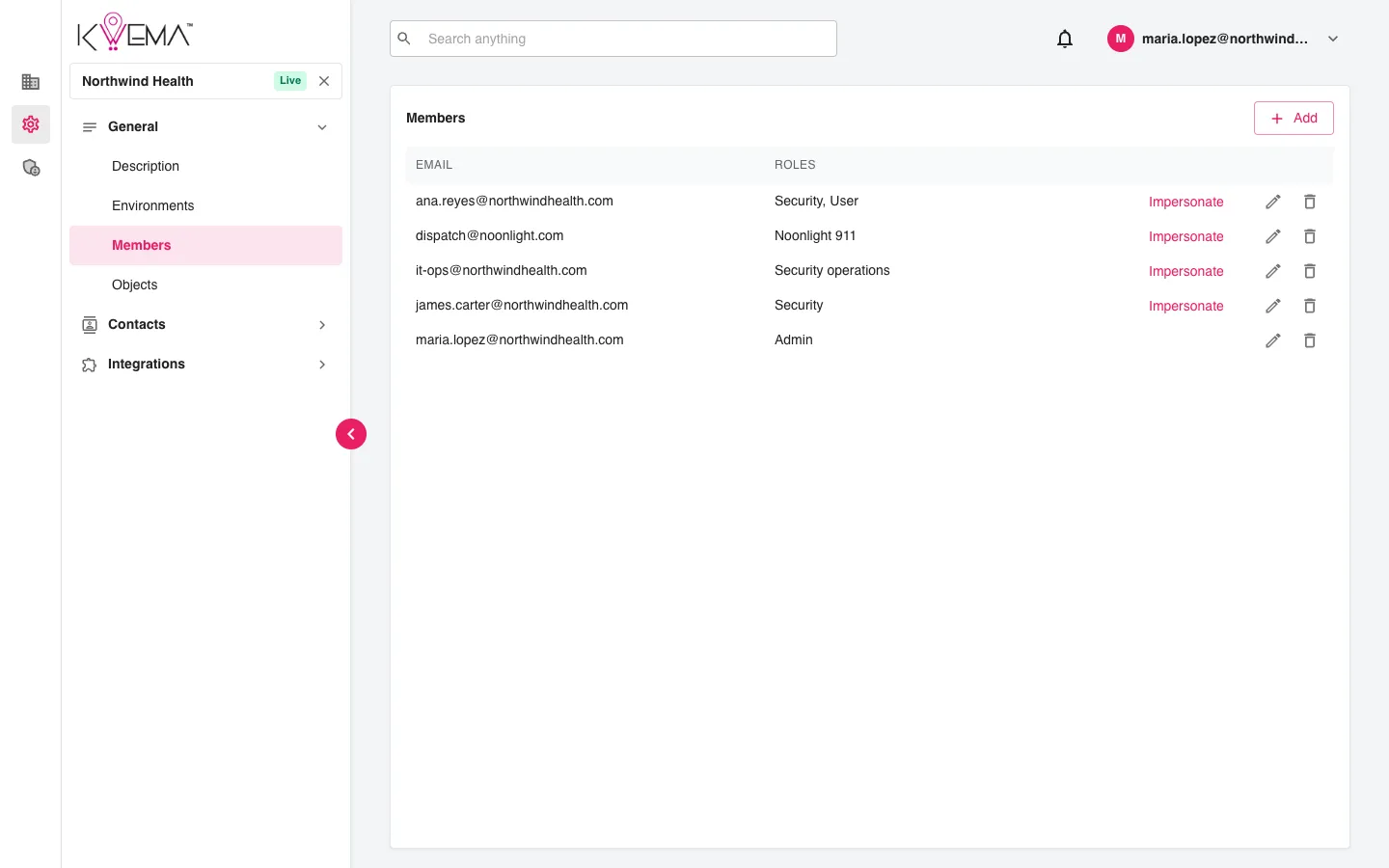
- Select Add, enter the person's email as Principal, assign one or more roles, and select Save.
- Select the pencil to change someone's roles, or the trash can to remove them.
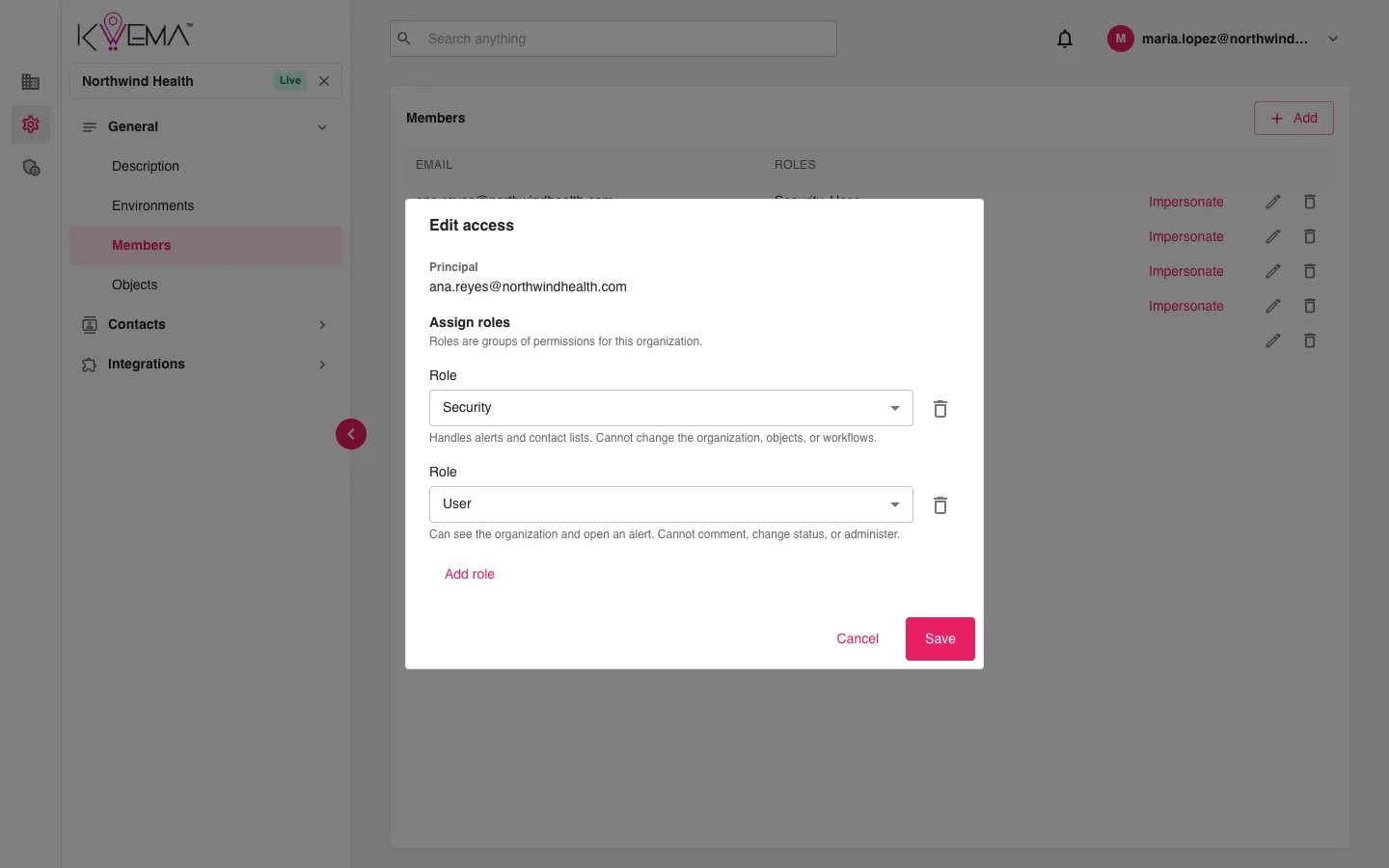
In Edit access, each role has its own row. Use Add role for another role and the trash can next to a role to remove it. Each role's description appears under it.
Roles
| Role | What it allows |
|---|---|
| Admin | Full access to the organization, its objects, workflows, contacts, alerts, and SSO. |
| Security | Handles alerts and contact lists. Cannot change the organization, objects, or workflows. |
| User | Can see the organization and open an alert. Cannot comment, change status, or administer. |
| Noonlight 911 | Can see an alert and comment on it. Cannot change status or administer. |
| Security operations | Can impersonate another user and configure SSO. |
Impersonate
People with the Security operations role see Impersonate next to each member. It lets you use the console as that person to check what they can see. Stop impersonating from the account menu at the top right.