Environments
Connect your wireless network vendor so Kwema can locate badges.
Environments
An environment stores the connection to your wireless network vendor (Juniper Mist, Cisco, HP, or a custom integration). Kwema uses it to locate badges on your floor maps.
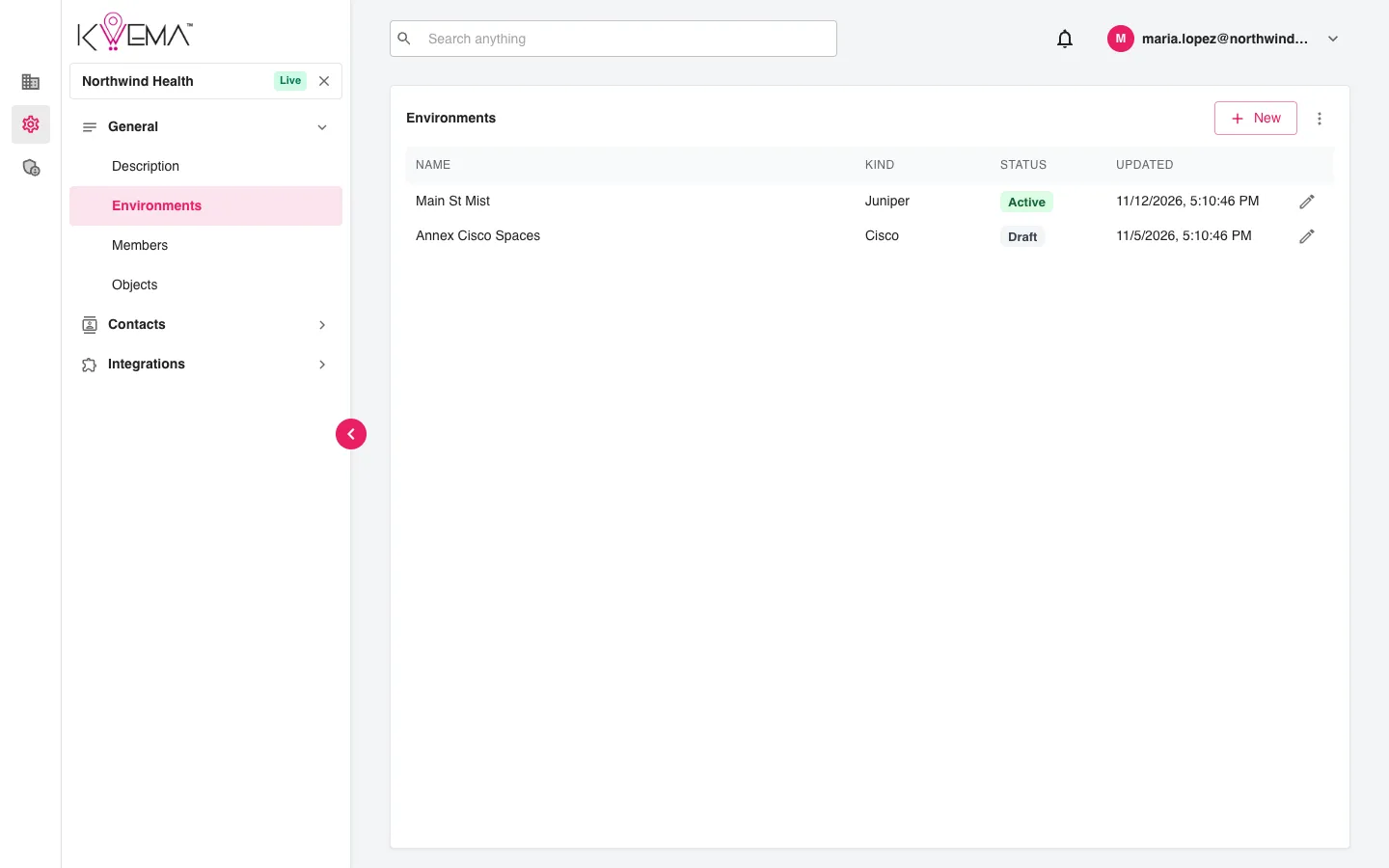
- Select New to create an environment. Give it a Name and Kind.
- Select a row to edit it.
- Use the row menu to Duplicate an environment.
- Use the options menu to Show archived environments.
General
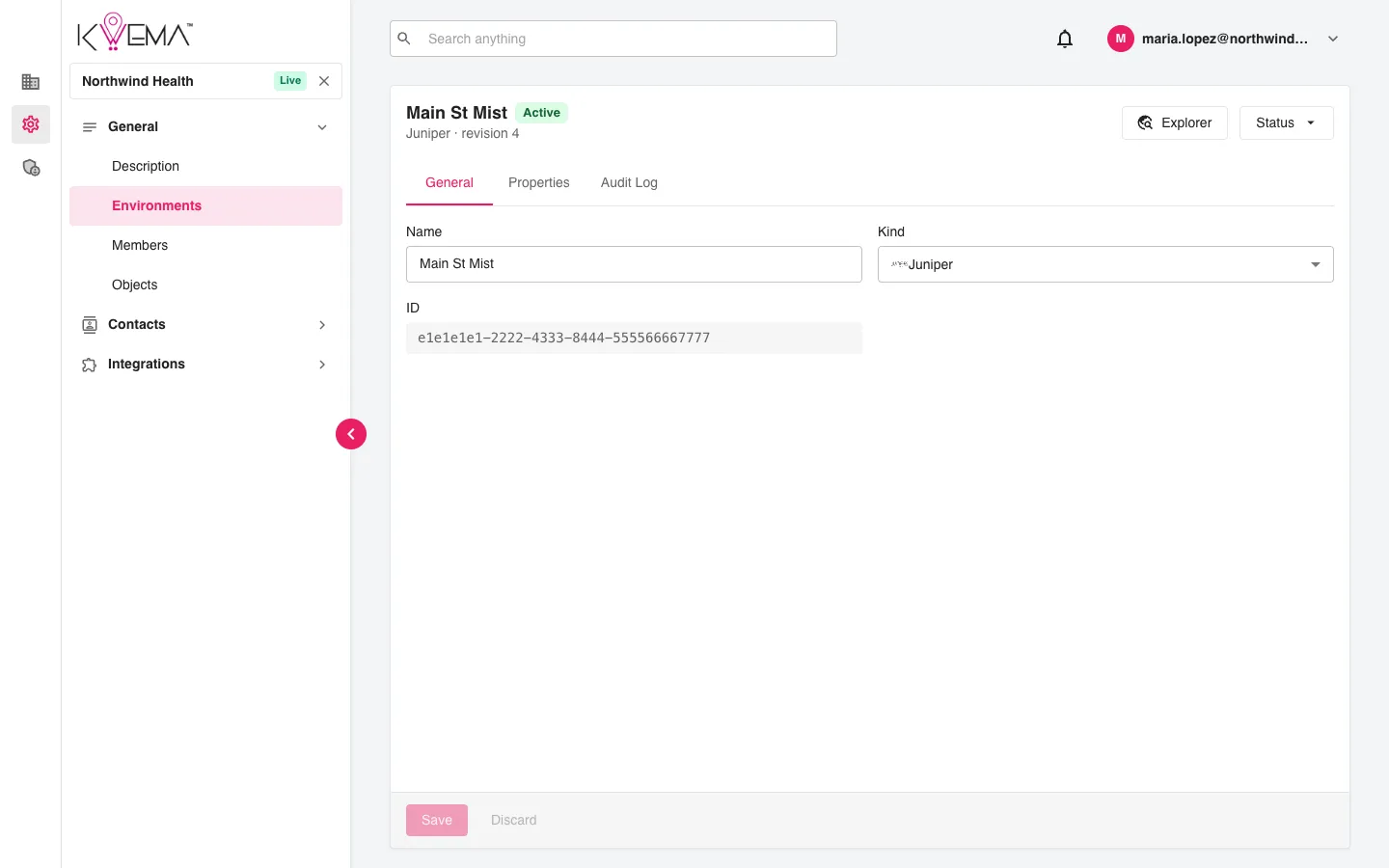
Name, kind, and ID. Use Status at the top to move the environment between Draft, Active, and Archived.
Properties
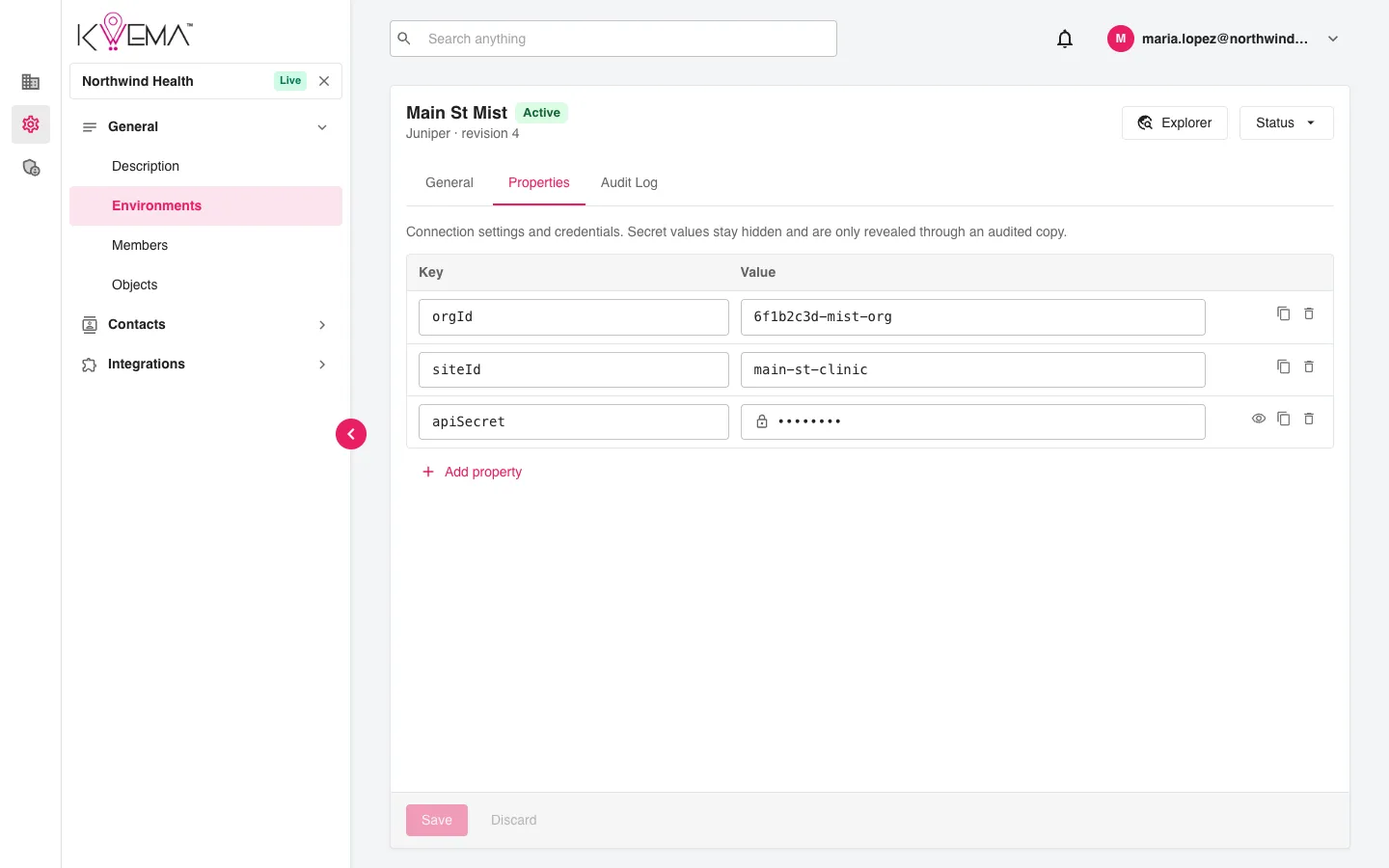
Connection settings and credentials as key/value pairs, for example the vendor's organization ID, site ID, and API secret.
- Select Add property to add a row.
- Keys that look like secrets (such as
apiSecret) are hidden. Select the eye icon to reveal one. Each reveal is recorded in the audit log. - Use the copy icon to copy a value.
Explorer opens a browser of the vendor's API for supported kinds, so you can find the IDs to enter here.
Audit Log
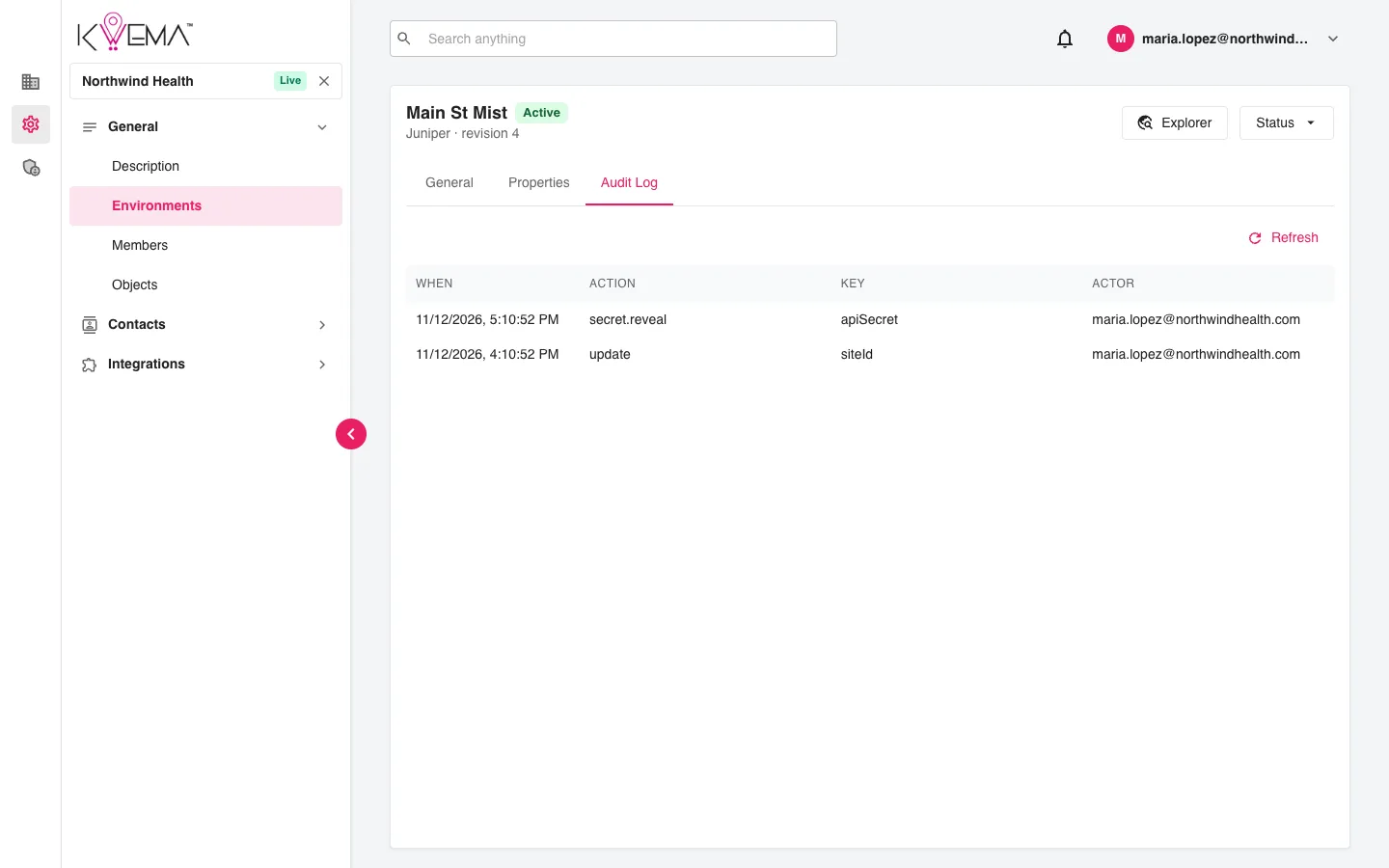
Who changed or revealed which property, when, and from which IP address.